What you can check in 3D Top View
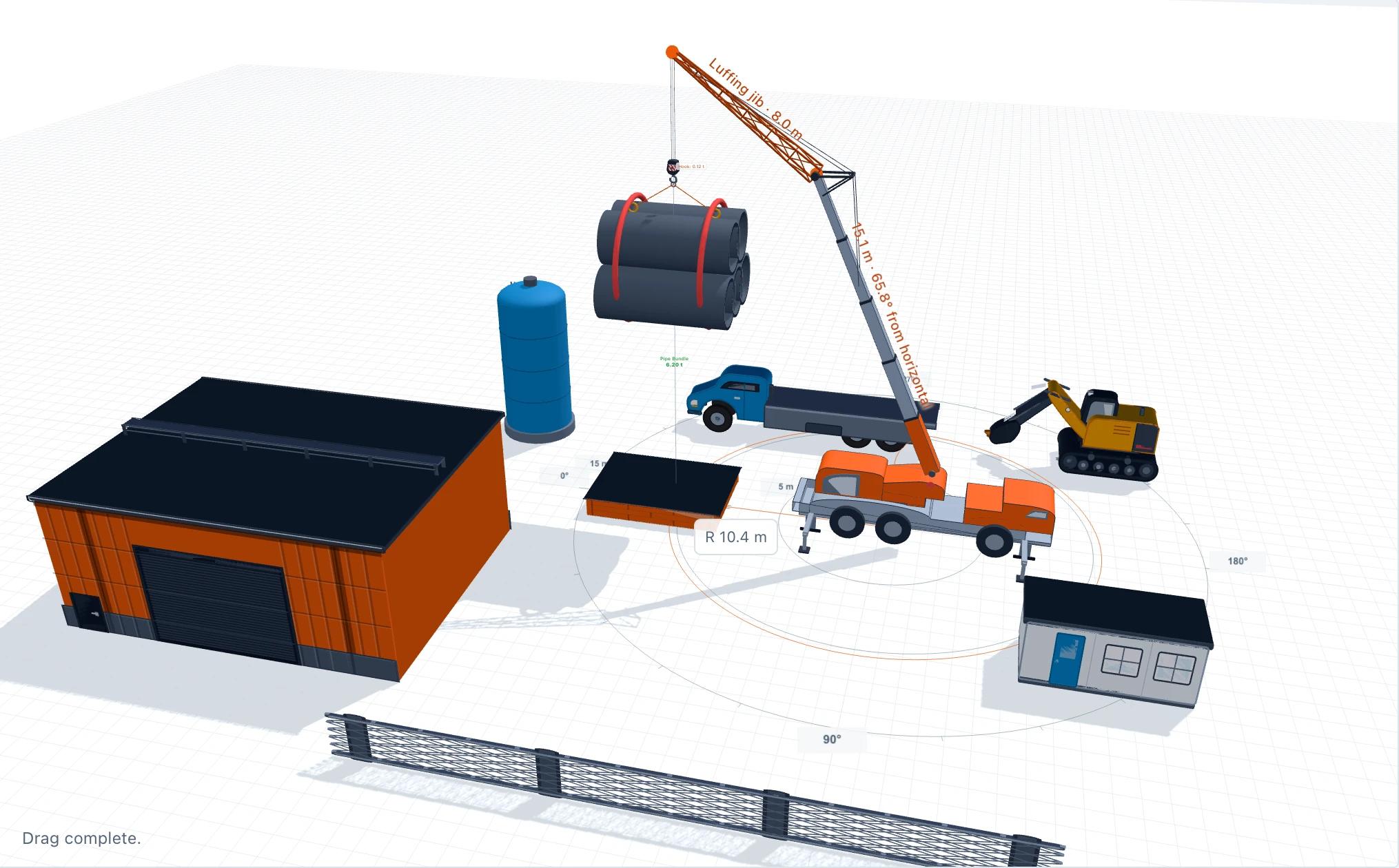
- Outrigger placement — pad positions relative to the crane and the load.
- Working radius — the crane's swing and reach drawn to scale, from above.
- Site obstacles — buildings, fences, and other equipment near the setup.
- Overall site fit — a quick visual check before committing to a crane position.
Platform availability
| Platform | Status |
|---|---|
| Web (any browser) | Available now |
| Windows desktop app | Available now |
| macOS desktop app | Available now |
| iOS & Android | Available now |
Common questions
What is the 3D Top View feature?
It is a top-down 3D visualization of your crane setup inside OutriggerPlan. It shows outrigger placement and pad positions, the crane's working radius, and nearby site obstacles together, so you can check clearances and site fit before the crane arrives.
Is 3D Top View free to use?
No. 3D Top View is included with OutriggerPlan's Solo and Team plans. The free plan covers core lift planning (range charts, outrigger reactions, ground bearing pressure) without 3D Top View. See current pricing on the pricing page.
Which platforms support 3D Top View today?
It is live now everywhere: the OutriggerPlan web workspace (any modern browser on Windows, macOS, or Linux) and the native Windows, macOS, iOS, and Android apps all support 3D Top View today.
How is this different from 3D Lift Plan software?
"3D Lift Plan" is the name of a separate, unrelated product from A1A Software. OutriggerPlan's 3D Top View is a modern, browser-based take on the same idea — quick outrigger and site-layout checks — included with a Solo or Team subscription instead of a separate purchase.
Do I need to install anything to use it?
No. Open the web workspace in your browser on a Solo or Team plan and it works immediately, on any device with a modern browser. Native desktop and mobile apps are optional once they ship.
Try 3D Top View
Included with Solo and Team plans. Start a 7-day free trial to try it.